
Monday.com Review 2026: Is It Worth It?
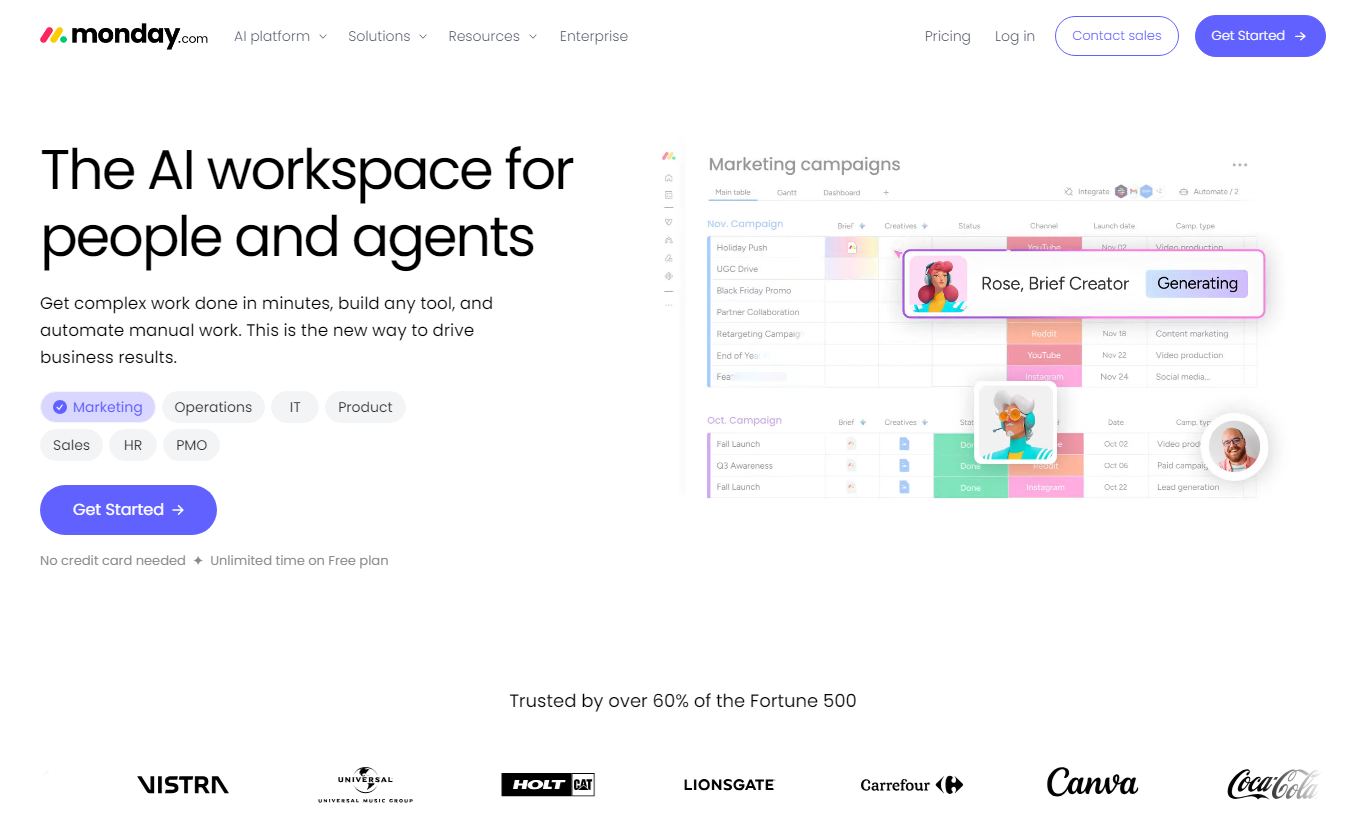
Monday.com is a visual work operating system built for teams of any size that need flexible project tracking, workflow automation, and cross-team collaboration in one place. It's popular for good reason: the drag-and-drop board interface is genuinely intuitive, it connects with 200+ integrations, and its automation recipes cut down on repetitive admin work. Pricing starts at $9/seat/month (Basic, billed annually) and scales up to enterprise tiers. There's a free plan for up to 2 seats and a 14-day free trial on paid plans. Mid-sized teams juggling multiple projects will get the most out of it. Solo users may balk at the per-seat pricing, and teams running heavy Agile or Scrum workflows will miss the dedicated sprint tooling that Jira offers. Monday.com rates 4.5 out of 5. It's a capable, visually polished platform that pays off for teams willing to spend time on setup.
What we love
Watch out for
Monday.com at a glance
What to test in your Monday.com trial
14-day free trial
- Build a board from one of the 200+ templates and get your real team's work visible in under 30 minutes
- Switch between Kanban, Gantt, and Calendar views on the same board to see if different views help different roles
- Create a cross-board automation recipe to move tasks between boards when status changes
- Set up a dashboard pulling data from multiple boards to test if you can build an exec-level view
- Decide whether to upgrade before trial ends or your first paid invoice hits
Quick Verdict
Monday.com is one of the most polished project management platforms on the market today. Its visual board system, layered automation engine, and wide integration library make it a genuinely capable tool for teams juggling multiple projects, stakeholders, and workflows. If your team struggles with visibility, who owns what, what's blocked, what ships next week, Monday.com solves that problem quickly and without much friction.
It isn't the right fit for every team, though. The per-seat pricing model adds up fast for larger organisations, and teams deeply committed to Agile ceremonies will find it less native than purpose-built Scrum tools. For most marketing, operations, product, and services teams looking for a flexible, good-looking, and genuinely usable work hub, Monday.com earns a strong recommendation. Try it free for 14 days before you commit to a paid tier.
Start Your Free Trial →What is Monday.com?
Founded in Tel Aviv in 2012 as "dapulse" and rebranded to Monday.com in 2017, the platform has grown into one of the world's leading work management tools, with over 225,000 customers across 200 countries as of 2025. It went public on Nasdaq in 2021, which tells you something about both its scale and its financial footing. Monday.com doesn't call itself a project management tool. It calls itself a "Work OS," a configurable operating layer teams can use to build custom workflows, dashboards, and automated processes without writing a single line of code.
Its primary audience is teams of 5 to 500+ people across industries including marketing agencies, software development, construction, HR, and professional services. It competes directly with Asana and ClickUp in the mid-market and pulls at Smartsheet's more spreadsheet-oriented users. The product's core philosophy is flexibility. Almost every element, columns, automations, views, dashboards, can be customised to match how your team already works, rather than forcing you into a rigid methodology.
Key Features
Feature Checklist
Visual Boards and Flexible Views
The board is Monday.com's basic unit, and it's where the platform really earns its keep. Each board is a grid of items (tasks, projects, clients, assets) and columns, and columns can be anything from a status dropdown to a formula field, a dependency link, or a file attachment. What makes this work in practice is the range of views stacked on top. Kanban, Gantt (Timeline), Calendar, Map, Workload, and Chart views all pull from the same underlying data. A marketing team can manage a campaign launch in Kanban while the project manager watches the same data in Gantt. Nobody duplicates information. Everyone sees the same source of truth, just filtered to their own preference.
Automation Recipes
Monday.com's automation engine runs on a simple "when X, then Y" trigger-action recipe model. Over 250 pre-built recipes cover the most common scenarios. When a status changes to "Done," it notifies the item owner and moves it to an archive board. When a due date arrives, it assigns the item to a new person. When a new item gets created, it sends a Slack message to a channel. Building custom automations takes no coding and under two minutes. The real payoff shows up at the Standard tier and above, where cross-board automations let you trigger actions on one board from an event on another. That matters for large organisations where different teams run interdependent workflows. The Pro tier adds time-tracking integrations and more complex conditional logic.
Dashboards and Reporting
High-level dashboards in Monday.com pull data from multiple boards into a single view using "widgets." Battery widgets show portfolio progress at a glance, bar and pie charts show workload distribution, and number widgets surface totals from formula columns. A product team might build an executive dashboard showing combined sprint velocity, open bugs by severity, and deployment status, all pulled from separate operational boards. Dashboards are available from the Standard tier upward, and the Pro tier adds "private dashboards" plus the ability to aggregate up to 50 boards in one view. It's not as analytically deep as Tableau or Power BI, but for operational reporting it covers 80% of real-world needs without requiring a data team.
Integrations and API
Monday.com connects natively to over 200 third-party tools, including Slack, Microsoft Teams, Google Workspace, Salesforce, HubSpot, Jira, GitHub, Zoom, Outlook, and Zendesk. The Zapier and Make (formerly Integromat) connections stretch that reach to thousands of additional apps. For development teams, the public GraphQL API is well-documented and actively maintained, and it supports custom integrations, data imports, and custom app development through the Monday Apps Marketplace. Native two-way sync with Jira stands out for hybrid teams that use Monday.com for planning but Jira for sprint execution. Items updated in either tool show up in both.
Workload Management and Resource Planning
The Workload view (available from Standard tier) pulls task assignments across boards and shows them as capacity bars per team member. Managers can see at a glance who's over-allocated this week and drag items around to redistribute load without leaving the view. The Pro tier adds time tracking, either through a native time-tracking column or integrations with Toggl and Harvest, and that lets teams measure actual effort against estimated effort. It's not a full resource management suite on the level of Kantata or Float, but for teams of up to 50 people it handles 90% of capacity-planning needs without a separate tool or manual spreadsheets.
Pricing
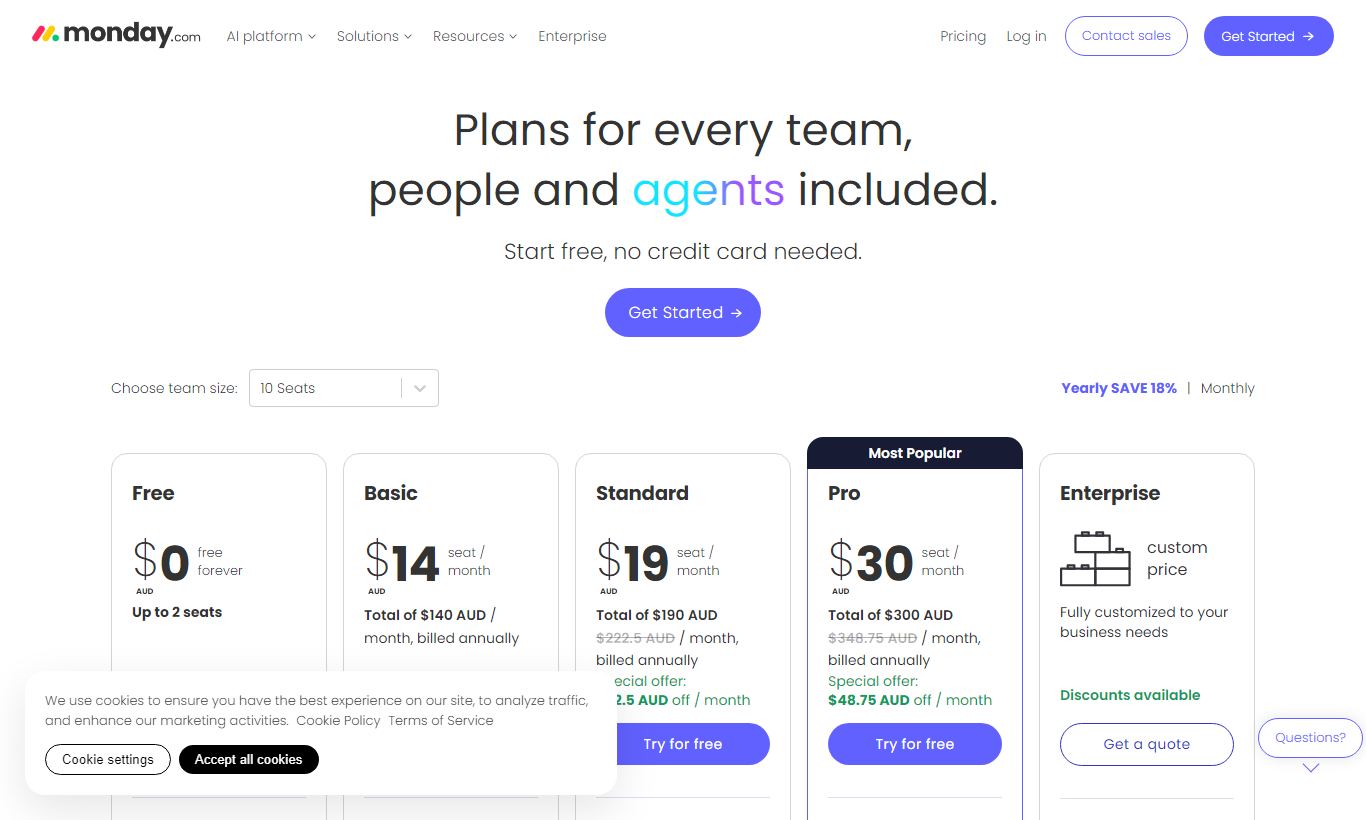
Monday.com charges per seat, monthly or annually. Annual billing saves roughly 18% across tiers. All paid plans require a minimum of 3 seats.
- Free: $0/month. Up to 2 seats. 3 boards, unlimited docs, 200+ templates, iOS and Android apps. Good for freelancers or very small teams testing the platform.
- Basic - $9/seat/month (billed annually; $12/seat/month billed monthly): Unlimited boards, unlimited free viewers, 5GB storage, prioritised customer support. No timeline/Gantt view, no automations.
- Standard - $12/seat/month (billed annually; $14/seat/month billed monthly): Adds Timeline/Gantt, Calendar view, guest access (up to 250 per board), automations (250 actions/month), integrations (250 actions/month), and cross-board dashboards with up to 5 boards. This is the most popular tier and the one we recommend for most growing teams.
- Pro - $19/seat/month (billed annually; $24/seat/month billed monthly): Adds time tracking, formula columns, private boards and docs, chart view, 25,000 automation and integration actions/month, dashboards up to 20 boards. A solid fit for data-heavy teams and anyone needing advanced reporting.
- Enterprise - custom pricing: Adds enterprise-grade security (SSO, SCIM provisioning, HIPAA compliance), advanced analytics, multi-level permissions, premium support with an account manager, and audit logs. Needed for regulated industries or very large deployments.
A free 14-day trial is available on all paid tiers, no credit card required. The automation and integration action limits on Standard can become a real bottleneck for larger teams. A team running 20+ automated workflows will likely burn through the 250-action monthly cap and need to upgrade to Pro.
What We Love
- Genuinely fast onboarding: Monday.com ships with 200+ pre-built templates, covering everything from content calendars to construction project tracking. Most teams go from signup to a working board in under 30 minutes, and nobody needs to open the documentation.
- Multi-view flexibility on a single data source: You can switch between Kanban, Gantt, Calendar, and Workload views without duplicating any data. That's a real workflow win, and it cuts down on tool sprawl.
- No-code automation that actually works at scale: There are 250+ automation recipes with cross-board triggers on Standard plans and above. They wipe out a huge chunk of manual status updates, notifications, and handoff tasks across complex workflows.
- Native two-way Jira sync: Hybrid teams can plan in Monday.com and run sprints in Jira with no copy-pasting involved. This integration outclasses most competitors in the same category.
- Granular permission controls on Pro and above: Private boards, private docs, and item-level permissions let teams share one workspace without exposing sensitive data. That matters most for agencies juggling multiple client projects inside a single account.
Watch Out For
- Per-seat pricing escalates quickly for larger teams: A 25-person team on Pro costs $475/month billed annually. Compare that to flat-rate tools like Basecamp ($99/month, unlimited users), and Monday.com gets expensive fast once you pass roughly 20 seats.
- Automation action caps on Standard can be frustrating: 250 automation actions per month sounds like plenty until a single active workflow burns through it in days. Teams running complex processes will need Pro, which more than doubles the per-seat cost.
- No native sprint planning or backlog grooming tools: Unlike Jira or Linear, Monday.com has no dedicated Agile constructs. There are no story points, no sprint boards with velocity tracking, and no native backlog refinement. Development teams running formal Scrum will need workarounds or a second tool alongside it.
- Mobile app is functional but limited: Real users consistently say the iOS and Android apps handle checking statuses and leaving comments fine, but they don't come close to the desktop experience for editing, especially when managing automations or building dashboards on the go.
Who Is It Best For?
Marketing and creative teams at growth-stage companies (10 - 100 people): A marketing team juggling simultaneous campaigns, content pipelines, and event planning will lean on Monday.com's multi-board structure, automation recipes, and Calendar view every day. Giving external stakeholders "guest" access for approvals, without a full paid seat, is a practical bonus.
Operations and project managers overseeing cross-functional work: An operations lead coordinating deliverables across engineering, design, and customer success, without owning any of those teams, gets a lot out of Monday.com's dashboard aggregation and workload visibility. They can build a single executive view without needing permissions to every team's detailed boards.
Agencies and professional services firms managing multiple client projects: An agency with 8 - 30 staff running 15+ concurrent client accounts can use Monday.com's workspace and folder structure to isolate client data, control visibility through private boards, and copy project templates instantly for each new engagement. The guest access feature lets clients view progress boards without paying for full seats.
How Does It Compare?
Monday.com vs. Asana: Both tools target similar audiences but they're built on different philosophies. Asana's task hierarchy (goals → portfolios → projects → tasks → subtasks) is more structured and suits teams that think in lists and dependencies. Monday.com's free-form board structure gives more flexibility but demands more setup work up front. Asana's free plan supports unlimited users (with limited features), which makes it the cheaper option for large teams on a budget. See our full Monday.com vs Asana comparison for a detailed breakdown.
Monday.com vs. ClickUp: ClickUp packs in more features, native docs, goals, time tracking, whiteboards, and email, at a lower price point ($7/seat/month on Unlimited). That said, ClickUp's interface can feel overwhelming for non-technical users, and its reliability has historically drawn more complaints. Monday.com gives up some of that feature density in exchange for a noticeably more polished and stable experience. See our full Monday.com vs ClickUp breakdown for a head-to-head verdict.
Final Verdict
Monday.com has earned its place at the top of the project management market through steady product investment, a genuinely intuitive interface, and automation that delivers real productivity gains, provided your team puts in a few hours of setup. It's not the cheapest option on a per-seat basis, and pure Agile development teams should look at Jira or Linear before committing. But for marketing, operations, and cross-functional teams who need visibility, flexibility, and collaborative workflows without a steep learning curve, Monday.com ranks among the best tools available today.
Buy it if your team manages multiple concurrent projects, needs stakeholder visibility without granting full system access, or is currently losing time to manual status updates and spreadsheet-based tracking. Look elsewhere if you're a solo operator (the pricing won't justify it) or a Scrum-heavy dev team that needs native sprint constructs.
Try Monday.com Free →FAQ
How much does Monday.com cost per month?
Monday.com's paid plans start at $9/seat/month (Basic, billed annually) and go up to $19/seat/month (Pro, billed annually). The free plan supports up to 2 seats. Enterprise pricing is available on request. Monthly billing costs roughly 25 to 30% more per seat than annual billing.
Does Monday.com have a free plan?
Yes. Monday.com offers a permanent free plan for up to 2 seats with 3 boards, unlimited docs, and 200+ templates. It suits individual freelancers or very small teams checking out the platform, but it lacks automations, integrations, and most advanced views. All paid plans also come with a 14-day free trial.
Is Monday.com worth it for small teams?
For teams of 5 to 20 people managing multiple projects, Monday.com on the Standard plan ($12/seat/month billed annually) delivers strong value. The Gantt view, automations, and guest access alone justify the cost over spreadsheets. For solo users or 2-person teams, the free plan or a cheaper tool like Trello will likely make more sense financially.
How does Monday.com compare to Asana?
Monday.com offers more visual flexibility and a more customisable board structure. Asana provides a more rigid task hierarchy that suits teams who prefer structured project management. Asana's free plan supports unlimited members, while Monday.com's free plan caps at 2. Monday.com generally edges ahead for operations and marketing teams, and Asana suits product and engineering teams that prefer task-list discipline.
Can Monday.com be used for Agile or Scrum development?
Monday.com supports Agile-style workflows through Kanban boards, sprint-labelled groups, and story-point number columns, but it lacks native sprint planning, velocity charts, and backlog grooming tools. Development teams running formal Scrum ceremonies will likely find Jira or Linear more purpose-built. Monday.com works better as a planning and roadmap layer sitting above a dedicated engineering tool.
Is Monday.com secure enough for enterprise use?
Yes, on the Enterprise plan. It supports SSO (SAML 2.0), SCIM user provisioning, HIPAA compliance (with a signed BAA), SOC 2 Type II certification, a 99.9% uptime SLA, advanced audit logs, and granular permission controls. Standard and Pro tiers offer two-factor authentication and HTTPS encryption, but they lack the compliance certifications regulated industries need.
What is the minimum number of seats for Monday.com paid plans?
All paid plans require a minimum of 3 seats. You can't buy a 1- or 2-seat paid plan, since the free tier already covers those cases. If your team has 2 people, you're best off sticking with the free plan or weighing whether the 3-seat minimum cost is worth it for the features you actually need.
We may earn a commission when you click affiliate links. This never affects our editorial scores.
| Best for | Visual project management |
| Category | Project Management |
Answer a few quick questions and we'll match you to the best tool for your needs.
→ Suggest a Tool