
Asana Review 2026: Is It Worth It?
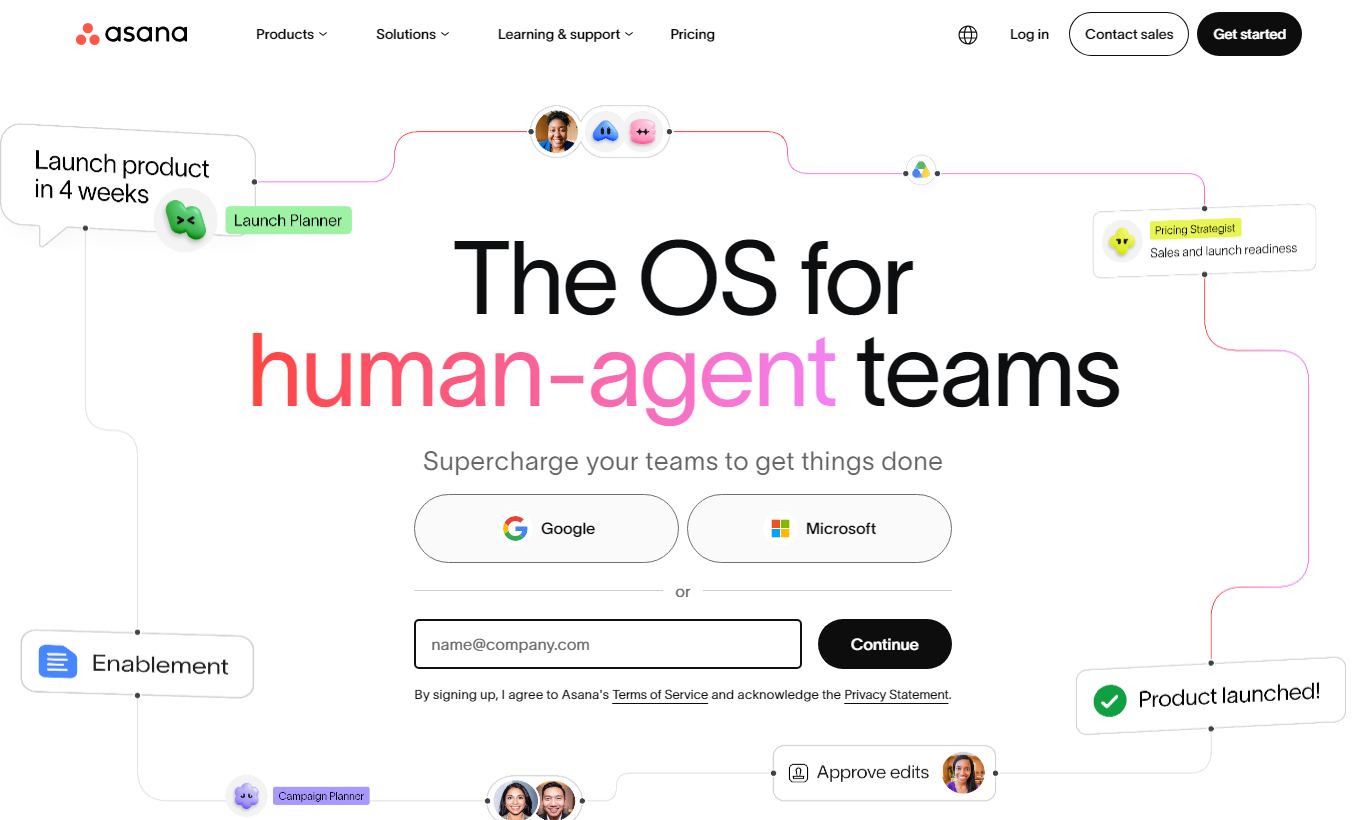
Asana is a cloud-based project management platform built for teams that need structured task tracking, cross-functional workflows, and visibility across multiple projects at once. Dustin Moskovitz, a Facebook co-founder, started the company in 2008. Today it serves everyone from solo freelancers on the free plan to enterprise teams running hundreds of projects at the same time. Its strongest features are timeline views, rules-based automation, and integrations with tools like Slack, Google Workspace, and Salesforce. Pricing starts at $0 (Free), rises to $10.99/user/month (Starter) and $24.99/user/month (Advanced), with Enterprise plans available on request. Mid-sized teams get the most out of it. Small teams may find it more than they need, and very large orgs can run into governance limits. Overall rating: 4.4/5.
What we love
Watch out for
Asana at a glance
What to test in your Asana trial
30-day free trial
- Set up automation rules to move tasks between statuses and assign them without manual work
- Build a Timeline view with task dependencies to spot scheduling conflicts in your actual project
- Import your real team's workload and use drag-drop rebalancing to redistribute tasks across people
- Link Asana tasks to Slack so your team sees notifications in their existing chat workflow
- Create a Goals structure tied to one real project to see if OKRs help with strategic visibility
- Decide which tier fits your team size and feature needs before your 30 days end or first charge
Quick Verdict
Asana earns its place as one of the most polished project management platforms on the market. It strikes a rare balance between structured task management and flexible workflow design. A marketing team running editorial calendars and an engineering team tracking sprint backlogs can both feel at home in the same tool. If your team is between 5 and 500 people and you need clear ownership, deadline accountability, and cross-project visibility without writing a single line of code, Asana is a genuinely strong choice.
It isn't perfect for everyone, though. Solo users or very small teams will likely find the free tier limiting and the paid plans expensive relative to simpler tools. And if your work is highly document-centric rather than task-centric, platforms like Notion or ClickUp may serve you better. But for teams that live and die by project milestones and deliverable ownership, Asana delivers a best-in-class experience backed by years of product refinement.
Start Your Free Trial →What is Asana?
Asana was founded in 2008 by Dustin Moskovitz (Facebook co-founder) and Justin Rosenstein, born out of their frustration with the way teams track work over email. The product launched publicly in 2012 and went public on the NYSE in 2020. Today Asana serves over 130,000 paying customers across 190 countries, ranging from startups to Fortune 500 companies including Amazon, Spotify, and the New York Times. It sits squarely in the "work management" category, a step above simple to-do apps but distinct from heavyweight project management tools like Microsoft Project or Jira, which lean more toward technical or construction-specific workflows.
The platform is web-first with fully featured iOS and Android apps. Its core philosophy is simple: every piece of work should have a clear owner, a due date, and a place to live. That philosophy scales well, from a five-person agency managing client deliverables to a global product team coordinating quarterly launches across time zones. Asana is especially popular with marketing, operations, and product teams. Its template library reflects that focus, with over 100 pre-built templates for use cases like campaign launches, product roadmaps, and employee onboarding.
Key Features
Feature Checklist
Multiple Project Views: List, Board, Timeline, and Calendar
One of Asana's most practical strengths is that every project can be viewed four different ways without any reconfiguration. The List view is a structured to-do layout, good for task-heavy projects. The Board view is a Kanban-style drag-and-drop interface, well suited to agile sprints or editorial pipelines. The Timeline view renders your project as an interactive Gantt chart, letting you map task dependencies and spot scheduling conflicts before they happen. The Calendar view overlays all deadlines on a monthly grid, which content teams managing publishing schedules will find useful. Switching between views is instant and doesn't change your data. You're looking at the same information through a different lens each time. This flexibility sets Asana apart from tools that lock you into a single layout.
Rules-Based Automation
Available from the Starter tier upward, Asana's automation engine lets you build trigger-action rules without any coding knowledge. A simple example: when a task moves to the "In Review" column, it can automatically get assigned to your QA lead, get a due date three days out, and post a comment notifying the team. Rules can be templated and applied across multiple projects, which saves real time for operations managers keeping consistency across teams. More advanced users can combine Asana with Zapier or its native integrations to fire cross-platform automations, for instance automatically creating an Asana task from a new Salesforce opportunity or a Zendesk ticket. The visual rule builder is genuinely beginner-friendly, though power users will quickly want more conditional logic than the current interface supports.
Goals and Portfolio Tracking
Asana's Goals feature (available on Advanced and Enterprise plans) lets organisations tie day-to-day tasks directly to strategic objectives, a feature set more commonly found in dedicated OKR tools like Lattice or Perdoo. You can set company-level goals, break them into team-level sub-goals, and link individual projects to those goals so progress updates automatically. The Portfolios feature sits one level below Goals. It pulls the status, budget, and timeline of multiple related projects into a single dashboard. For a Head of Marketing running five concurrent campaigns, Portfolios cuts out the need for a weekly status email because the information is live, drillable, and always current. These features push Asana into genuine strategic planning territory rather than just task tracking.
Workload Management
Workload is Asana's capacity planning feature, available on the Advanced plan. It shows how many tasks (or hours of work, if you use time estimates) each team member has assigned within a given time window. A team lead can immediately see that one designer is at 140% capacity while another has room to spare, then drag and drop tasks to rebalance, all without leaving the Workload view. This is the kind of feature that usually lives inside dedicated resource management tools, and Asana bundling it into a $24.99/user/month plan makes it exceptional value for mid-sized teams who don't want to pay for a separate resourcing tool.
Integrations and App Ecosystem
Asana integrates natively with over 300 third-party tools. The most business-critical include Slack (turn messages into tasks with one click), Google Workspace (attach Drive files, sync Google Calendar), Microsoft 365 (Teams notifications, Outlook task creation), Zoom (auto-create meeting action items), Salesforce (link CRM records to Asana projects), and GitHub (link commits and pull requests to tasks). Asana also has a well-documented REST API for custom integrations, and its Zapier/Make compatibility extends its automation reach to thousands of additional apps. For enterprise buyers, the Salesforce and ServiceNow integrations in particular are production-grade and actively maintained, not shallow OAuth connections thrown in for a checkbox.
Pricing
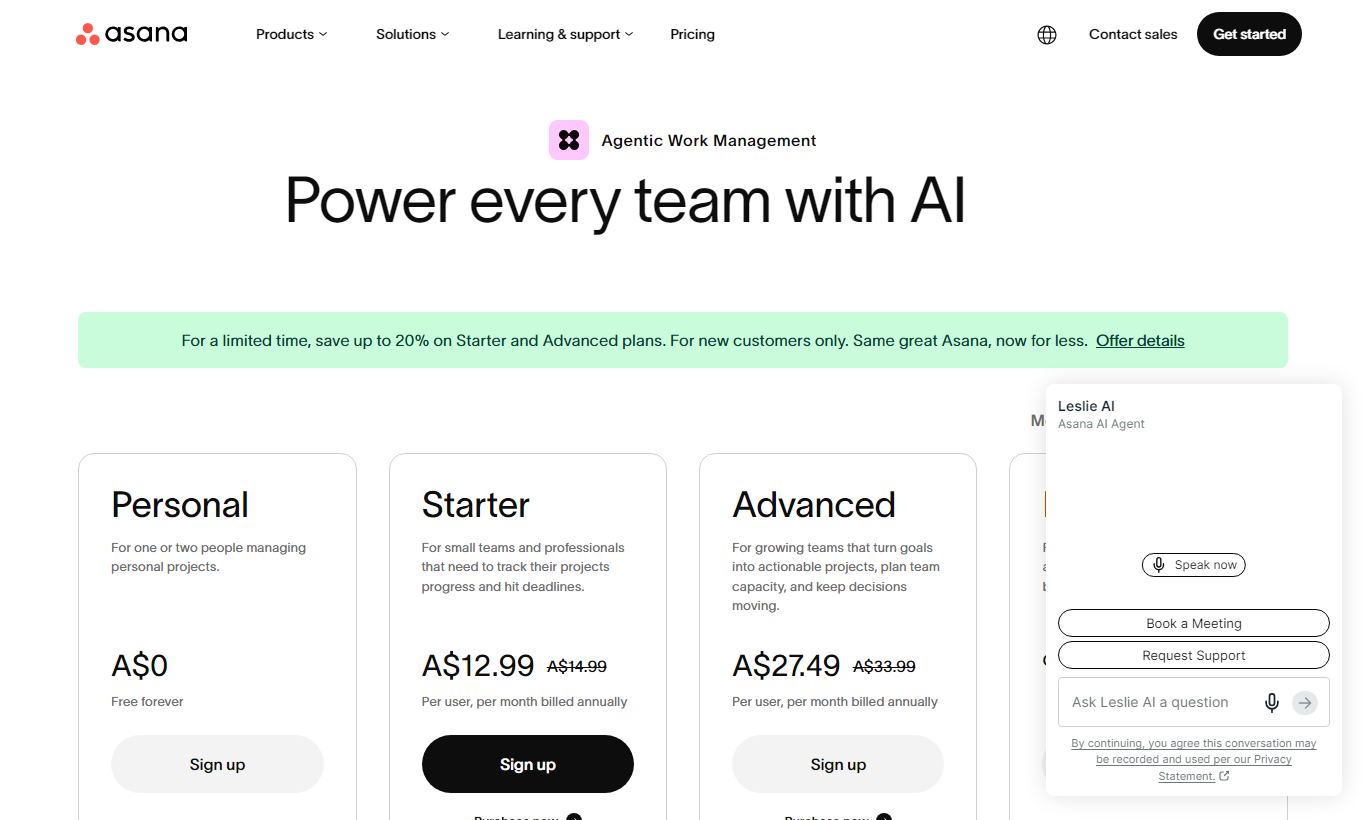
Asana has four main pricing tiers, billed per user per month. Pay annually and you'll save a fair bit over the monthly rate.
- Personal (Free): Free forever for up to 10 users. Includes unlimited tasks, projects, messages, and file storage (100MB per file). Offers List, Board, and Calendar views. Skips Timeline view, automation rules, reporting dashboards, and guest access to private projects. Works well for freelancers or very small teams with simple needs.
- Starter - $10.99/user/month (billed annually; $13.49/month billed monthly): Unlimited users, Timeline view, automation rules (up to 250 actions/month per rule), project dashboards, admin console, and CSV import. This is the tier most teams end up buying, and for growing teams it's the sweet spot.
- Advanced - $24.99/user/month (billed annually; $30.49/month billed monthly): Everything in Starter plus Portfolios, Goals, Workload, advanced reporting, time tracking (via integrations), and unlimited automation. Pick this if your team needs cross-project visibility and capacity planning.
- Enterprise and Enterprise+: Custom pricing, negotiated annually. Adds SAML SSO, advanced data residency options, custom branding, audit logs, and dedicated customer success. Organisations under strict compliance mandates (HIPAA, SOC 2 Type II) will need this tier.
A 30-day free trial of the Starter or Advanced plans is available without a credit card. The free Personal plan has no time limit, so you can try out the core experience before you commit to anything.
What We Love
- Instant multi-view switching: Every project supports List, Board, Timeline, and Calendar views at the same time, with no need to duplicate data.
- No-code automation rules: The visual rule builder on Starter+ lets non-technical users set up automated hand-offs, status updates, and assignments in minutes.
- Workload capacity planning: Real-time visualisation of team capacity, with drag-and-drop rebalancing, is a genuinely rare feature at this price point.
- Deep template library: 100+ pre-built templates cover marketing campaigns, product launches, HR onboarding, and more, cutting setup time from hours to minutes.
- Best-in-class integrations with Salesforce and Slack: Both integrations are well maintained and support real cross-tool workflows, not just basic notifications.
Watch Out For
- Timeline and automation locked behind paid plans: Two of Asana's best features, Timeline view and Rules, aren't available on the free Personal plan. That cuts into its usefulness as a "try before you buy" experience.
- Per-user pricing adds up quickly: At $10.99 to $24.99 per user per month, a 30-person team on the Advanced plan costs nearly $9,000 a year. That's a real budget consideration for cost-conscious teams.
- Limited native time tracking: Asana has no built-in time tracking on any plan. You need to connect a third-party tool like Harvest or Clockify, which adds friction for agencies that bill by the hour.
- Task commenting can get noisy: On large projects with many collaborators, the task-level comment thread gets hard to follow. Asana has no threaded discussion system to match Basecamp's message boards or Notion's inline comments.
Who Is It Best For?
Mid-sized marketing and creative teams (10 - 100 people) get the most from Asana. Take a Head of Content managing a team of eight writers and designers, running simultaneous blog, social, and email campaigns. The combination of Timeline, Board view, and automation rules cuts out a huge chunk of status-check meeting time. The template library speeds up onboarding for new campaigns, and the Slack integration means tasks get created without anyone leaving their main communication tool.
Product and operations teams running quarterly planning cycles will get real value from Goals and Portfolios. A VP of Product with five active workstreams, mobile app development, API infrastructure, analytics, growth experiments, and documentation, can use Portfolios as a live command centre, rolling up RAG statuses without chasing project leads for updates. The Workload view also helps engineering managers spot capacity problems before their best engineers burn out.
Agencies managing multiple client projects simultaneously benefit from Asana's guest access (external collaborators can be added to specific projects without paying for a full seat on Starter+) and the option to run client-facing boards alongside internal ones in the same workspace. An eight-person digital agency managing 15 concurrent client projects can use Portfolios to spot which clients are at risk of missing deadlines, weeks before the client notices.
How Does It Compare?
Asana vs Monday.com: Monday.com offers a more visually customisable interface and stronger CRM-adjacent features, but its pricing climbs higher at scale, and its automation feels less intuitive than Asana's rule builder. Asana pulls ahead for teams that need structured, milestone-driven project tracking. See our full Asana vs Monday.com comparison.
Asana vs ClickUp: ClickUp packs more raw features into its free tier, including time tracking, mind maps, and custom statuses, and it's more affordable at scale. That feature density comes with a steeper learning curve and a noticeably clunkier UI, though. Teams that want polish and easy adoption will prefer Asana. Teams chasing maximum feature-per-dollar will lean toward ClickUp. Read our Asana vs ClickUp head-to-head for a full breakdown.
Final Verdict
Asana is the project management platform we'd recommend first to any team between 10 and 200 people that needs to move from ad hoc task management into structured, accountable workflow management. Its Timeline view, Workload feature, and automation rules are genuinely best-in-class for the price. The interface is clean, the mobile apps are solid, and the integration ecosystem is mature enough to slot into almost any existing tech stack without a fight.
It's not the right fit if you're a solo operator, if your work is mostly document-driven, or if built-in time tracking is a hard requirement. At $24.99/user/month for the full feature set, it also demands a real budget commitment from teams larger than 20 people. But for the teams it's built for, Asana gives you the kind of organisational clarity that gets ambitious work done on time.
Try Asana Free →FAQ
How much does Asana cost per month?
Asana's Starter plan costs $10.99/user/month (billed annually) or $13.49/user/month (billed monthly). The Advanced plan is $24.99/user/month annually or $30.49/month. There's also a free Personal plan for up to 10 users, and Enterprise plans with custom pricing.
Does Asana have a free plan?
Yes. Asana's Personal plan is free forever for up to 10 users. It includes unlimited tasks, projects, and messages, but leaves out Timeline view, automation rules, Portfolios, and reporting dashboards. A 30-day free trial of paid plans is also available, no credit card needed.
Is Asana worth it for small teams?
For teams of 5 to 10 people, the free Personal plan covers basic task management well. But the most valuable features, Timeline, automation, and Workload, require paid plans. Small teams with simple needs may find Trello or ClickUp's free tier more generous. Asana becomes worth the investment once your team grows past 10 people and runs multiple projects at once.
How does Asana compare to Monday.com?
Asana is stronger for structured, milestone-driven project management with cleaner automation rules. Monday.com is more visually flexible and better suited to CRM-adjacent use cases. Monday.com is generally more expensive at scale. Most project-focused teams prefer Asana. Teams needing customisable data views often prefer Monday.com instead.
Does Asana have time tracking?
Asana doesn't have native built-in time tracking on any plan. Time tracking is available through integrations with third-party tools such as Harvest, Clockify, and Toggl. This is a real gap for agencies or consultancies that need to log billable hours directly inside their project management tool.
What integrations does Asana support?
Asana integrates natively with over 300 tools, including Slack, Google Workspace, Microsoft 365, Zoom, Salesforce, GitHub, Jira, Zendesk, Zapier, and Make. Its REST API supports custom integrations. Enterprise plans include deeper Salesforce and ServiceNow connectors.
Is Asana good for agile or scrum teams?
Asana supports agile workflows through its Board (Kanban) view and sprint-style task management, but it wasn't built specifically for scrum. It lacks native sprint velocity charts, burndown charts, or story point estimation. Engineering teams running formal scrum may prefer Jira. Hybrid teams, such as product managers working alongside developers, often use Asana successfully alongside Jira for higher-level roadmap tracking.
We may earn a commission when you click affiliate links. This never affects our editorial scores.
| Best for | Work management platform |
| Category | Project Management |
Answer a few quick questions and we'll match you to the best tool for your needs.
→ Suggest a Tool