
Make Review 2026: Is It Worth It?
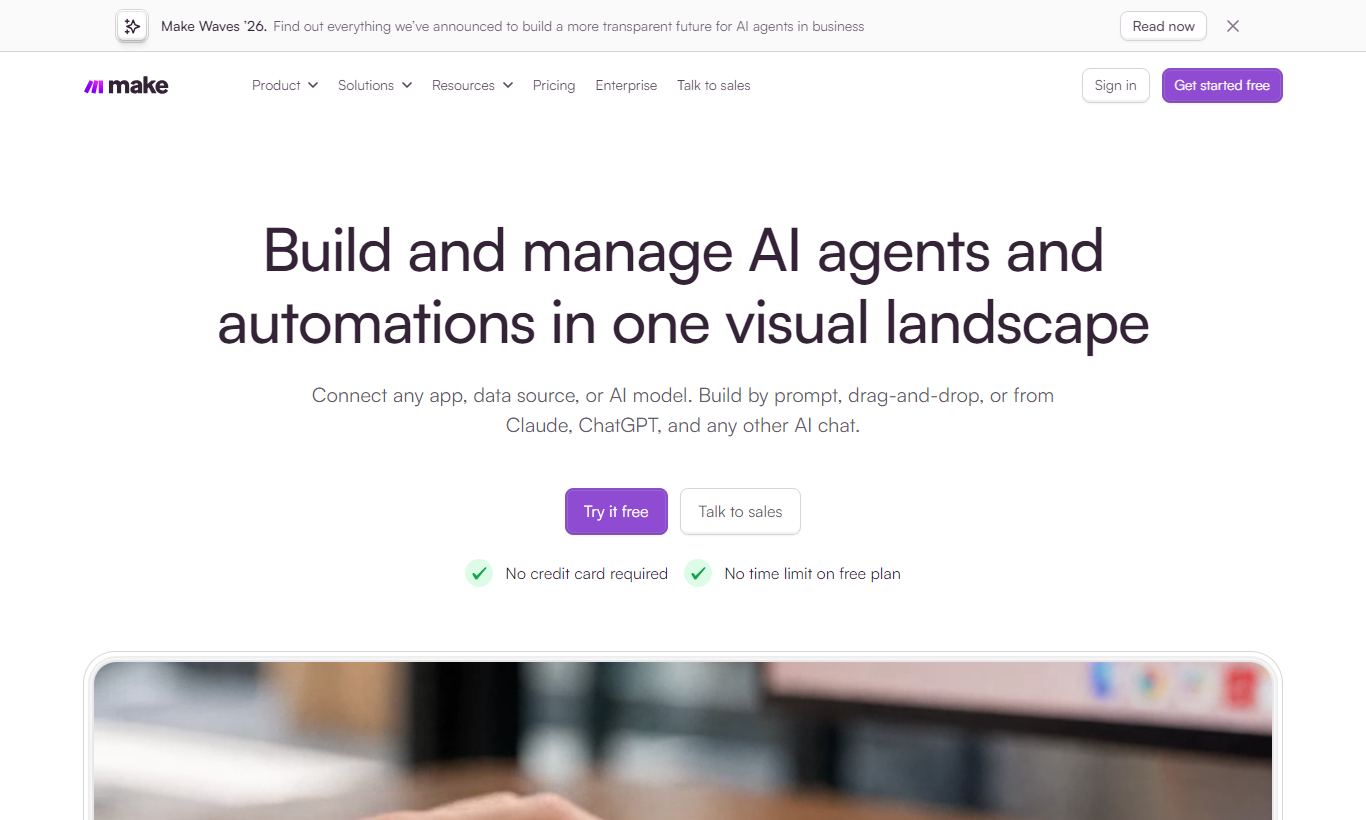
Make (formerly Integromat) is a visual automation platform that lets marketing and ops teams build complex, multi-step workflows without writing code. It lands between Zapier's simplicity and the power of custom-coded integrations, with a drag-and-drop scenario builder, 1,700+ app connections, and data-transformation tools that Zapier can't match at the same price. The free plan includes 1,000 operations a month, and paid plans start at $9/month, so solo operators and agencies can both afford it. The learning curve is steeper than Zapier's, and that's a real cost. But teams who put in a few hours of onboarding get automation logic that would otherwise need a developer to build. It works best for mid-market marketing teams, agencies juggling multiple client workflows, and growth-stage SaaS companies that have outgrown point-and-click tools.
What we love
Watch out for
Make at a glance
What to test in your Make trial
Free plan
- Build a multi-branch scenario with a router splitting into 3+ parallel actions to test the visual canvas
- Set up a webhook from an external tool and verify it triggers your scenario in real time without a native connector
- Create two active scenarios on the free plan and confirm you stay under the 1,000 monthly operations limit
- Before the free plan's limits frustrate you or your first bill posts, commit to the Core plan or move on
Quick Verdict
Make is one of the most capable automation platforms you can get at this price. Marketing teams that have outgrown simpler tools like Zapier or native CRM workflows will find it a real upgrade in power, and you don't need a developer to run it. The visual canvas for building scenarios does real work: you see the whole workflow, every branch, filter and data transformation, on one screen, and that makes complex logic easy to audit in a way linear tools can't match. The Core plan runs $9/month (there's a free plan too, though it has real limits), so the barrier to entry is low enough to justify testing it seriously.
Make isn't for everyone, though. If your team's automation needs are basic, like adding a row to Google Sheets when a form gets submitted, the added complexity of Make's interface is unnecessary overhead. But if you're running multi-step lead nurturing flows, syncing data across five marketing tools, or building internal ops automations that touch your CRM, ad platforms and Slack all at once, Make earns its place as a core piece of your stack.
Start Your Free Trial →What is Make?
Make, known until 2022 as Integromat, is a visual workflow automation platform founded in Prague in 2012. Process-mining giant Celonis acquired it, and it's grown into one of the most feature-rich no-code automation tools on the market, with over 700,000 active users across 190 countries. Its core idea is a drag-and-drop "scenario builder" that lets users connect apps, transform data, and automate repetitive processes without writing code. Unlike point-to-point integration tools, Make treats automation as a flowchart. You can build scenarios with parallel branches, loops, error-handling fallback paths, and real-time webhooks, all from a browser-based canvas.
Make sits firmly in the middle of the automation market. It's more powerful than consumer-grade tools like Zapier or IFTTT, but less intimidating than enterprise middleware platforms like MuleSoft or Boomi. Its sweet spot is marketing operations teams, digital agencies, growth-stage SaaS companies, and technically-curious operators who want automation muscle without hiring an integration developer.
Key Features
Feature Checklist
Visual Scenario Builder
Make's scenario builder is what sets it apart from competitors most clearly. Instead of a linear list of steps, every automation shows up as a node graph on an infinite canvas. Each "module" (an action in a connected app) appears as a circle, and connectors show how data flows between them. Routers, Make's branching mechanism, fan out into multiple parallel paths, each with its own filter conditions. For a marketing team, this might mean a single inbound webhook from a Typeform submission triggers three simultaneous branches: one that creates a HubSpot contact, one that posts a Slack notification, and one that adds the lead to a Google Ads customer match list. All in a single scenario you can read at a glance.
Data Transformation & Built-in Functions
This is where Make quietly beats most of its competitors. Inside any module's field mapping, you can call over 50 built-in functions: parsing substrings, converting date formats, doing arithmetic, flattening nested JSON, or applying conditional (if/else) logic, all without leaving the interface. In practice, this means you can take a messy API response and reshape it into exactly the format your destination app expects, all inline. Marketing teams using this feature typically normalise phone number formats before sending to a dialler, extract UTM parameters from a landing page URL string, or calculate a lead score from form responses before writing to the CRM.
Iterators, Aggregators, and Array Handling
Most automation tools struggle with lists. Make doesn't. The Iterator module splits an array (say, a list of line items from a Shopify order) into individual bundles so downstream modules can process each item separately. The Aggregator does the reverse: it collects multiple bundles back into a single array or string. For marketing use cases, this matters when working with bulk contact lists, multi-product order confirmations, or batch API operations against ad platform APIs where you need to send data in chunks.
Webhooks and Real-Time Triggers
Every Make account can create custom inbound webhook URLs that receive data from any external source, no native integration required. This matters for marketing teams that work with tools Make doesn't have a native connector for, or that need sub-minute response times. A common setup: a custom webhook receives events from a Stripe payment, immediately enriches the customer data via a Clearbit HTTP request, then creates a tagged contact in ActiveCampaign and fires a personalised onboarding email, all within seconds of payment confirmation.
Data Stores
Make's built-in data store is an underrated feature. It's a simple key-value database that persists between scenario runs, so you can build stateful automations without an external database. Marketing teams use data stores to deduplicate leads (check if an email was already processed), track cumulative counts (how many times a contact clicked a link across campaigns, for example), or cache API responses to cut rate-limit exposure. It's available on all paid plans and gives you real capability that tools like Zapier lack entirely at this price point.
Pricing
Make's pricing is built around "operations." Each time a module executes counts as one operation. That's a key difference from Zapier's task-based model: in Make, a Router that splits into three branches doesn't triple your operation count the way Zap steps do. For complex multi-branch scenarios, this can mean 60 - 80% lower effective cost.
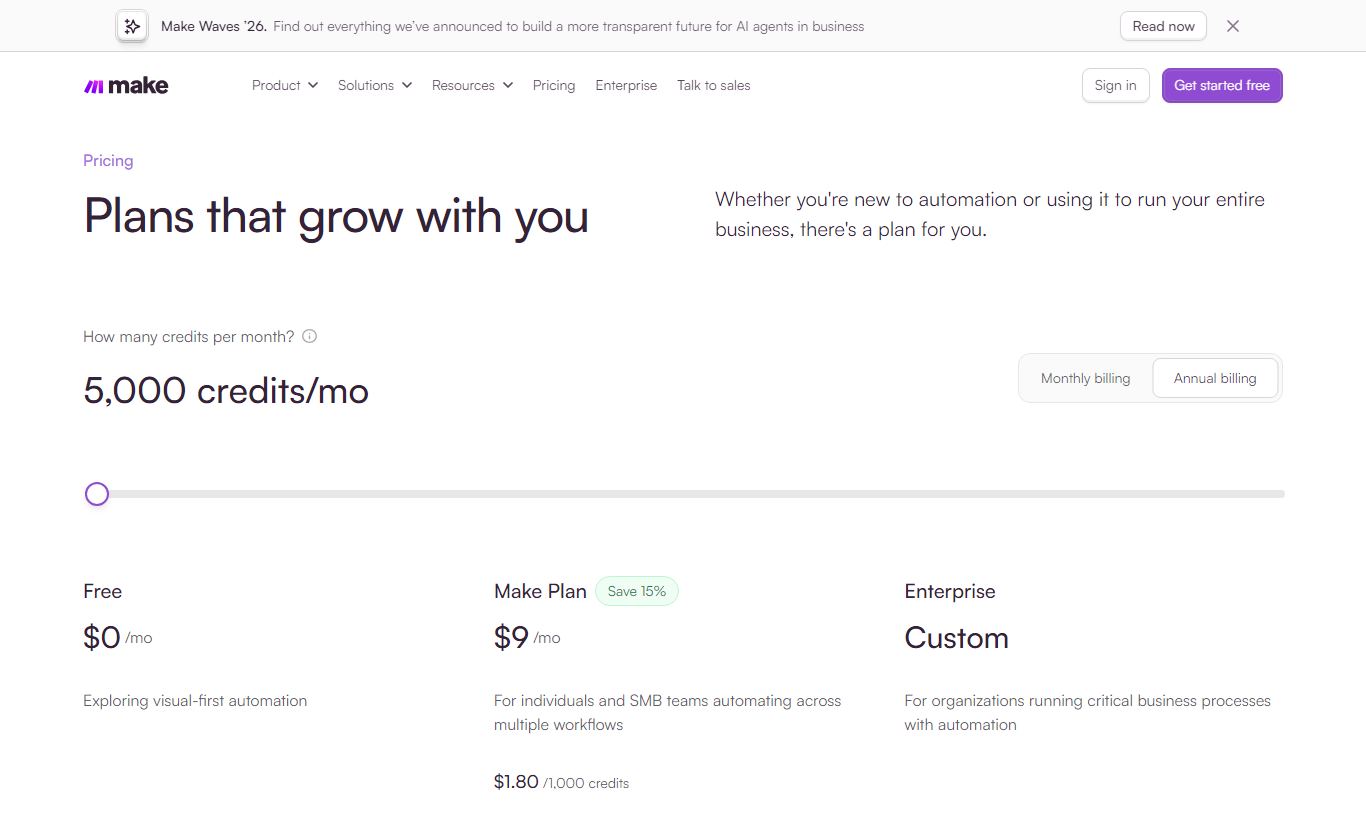
Free: $0/month, 1,000 operations, 2 active scenarios, 15-minute minimum polling interval, 1-day execution history. It's genuinely usable for light experimentation or single-workflow automations.
Core: $9/month (annual) / $10.59/month (monthly), 10,000 operations, unlimited active scenarios, 1-minute interval, 30-day history, full data store access. It's the right entry point for solo operators and small teams running real workflows.
Pro: $16/month (annual) / $18.82/month (monthly). Everything in Core plus full-text execution log search, custom variables, flexible scheduling, and scenario inputs (a no-code form that can trigger a scenario). This is the tier we'd recommend for most marketing teams.
Teams: $29/month (annual) / $34.12/month (monthly). Adds multi-team workspaces, role-based access control, and shared scenario templates. It matters most for agencies or companies where multiple people need to collaborate on automations.
Enterprise: Custom pricing. SSO/SAML, dedicated CSM, SLA guarantees, custom data residency, and advanced audit logs. Built for companies with compliance requirements or very high operation volumes.
All paid plans let you buy additional operations in bundles. Make doesn't offer a time-limited free trial of paid tiers, but the free plan never expires, so you can test the platform's core capabilities before committing.
What We Love
- Operations-based pricing delivers real savings at scale: A 6-module scenario processing 500 leads costs 3,000 operations, not 3,000 "tasks" multiplied per branch. For high-volume marketing workflows, this pricing model is substantially cheaper than Zapier's equivalent.
- The visual canvas makes complex logic auditable: You can see every branch, filter, and data transformation on one screen. That means you can hand a scenario off to a colleague, or come back to it six months later, without getting lost in a list of steps.
- Inline data transformation removes the need for middleware: You can parse, format, and reshape data right inside a module's field mapping, using real functions instead of static values. That kills off entire categories of workarounds that plague simpler tools.
- Webhooks and HTTP modules make the integration library virtually unlimited: Even when Make has no native connector for a niche tool, you can call its API directly through the HTTP module. This has a higher floor than drag-and-drop setup, but it removes the "waiting for a native integration" blocker entirely.
- Data stores enable stateful, intelligent workflows: Being able to persist data between runs, deduplicating records, tracking lead states, caching values, is a genuine differentiator. It opens up a class of automation that one-shot tools simply can't execute.
Watch Out For
- The learning curve is real, and it hits early: Make's power comes with complexity. First-time users consistently report needing 3-5 hours of exploration before they feel confident building from scratch. Bundles, iterators, and aggregators are genuinely different from how most people think about automation, and the documentation, while thorough, assumes a certain baseline familiarity.
- Error monitoring takes manual work: Make's execution history and error logs are detailed, but there's no unified alert dashboard. If a scenario silently fails because a filter filtered everything out (rather than throwing an error), you might not notice for days. Use third-party monitoring or set up error-handler routes for anything running in production.
- Live support sits behind paid tiers: Free and Core users don't get live chat or phone support. They're directed to the community forum and email tickets. For a tool running business-critical automations, that's frustrating when something breaks on a Friday afternoon.
- The free plan's 15-minute polling interval limits real-time use: If you need near-instant automation triggers on the free plan, you'll need webhook-based triggers, and not all apps support them. That's a real operational limit for time-sensitive marketing workflows like lead response automation.
Who Is It Best For?
Marketing operations managers at 20 - 200 person companies who run a stack of 8 - 15 SaaS tools and lose hours each week to manual data handoffs (exporting leads from ad platforms, importing to CRMs, updating spreadsheets) are Make's core users. The platform pays for itself fast by automating work that used to fall on a junior ops hire or a patchwork of Zapier Zaps running close to $100/month.
Digital agencies managing automation for multiple clients will get real value from the Teams plan. You can create separate team workspaces, share scenario templates across client accounts, and assign role-based permissions. That means one agency ops person can run dozens of client automations in an organised way, without any risk of clients seeing each other's data.
Growth-stage SaaS companies building product-led growth workflows, things like trial-to-paid conversion sequences, usage-triggered email campaigns, or automated onboarding task creation, get a lot out of Make's webhook support, data transformation, and ability to call internal APIs. These teams often start with Make as a no-code layer sitting above their data infrastructure, then rebuild the most critical flows in custom code once they've proven them out.
How Does It Compare?
Zapier: Zapier is the competitor most people know. It's easier to onboard but costs a lot more once workflows get complex, and it doesn't have Make's branching logic, inline data transformation, or data stores. For teams running more than 10 automations with any real complexity, Make typically delivers 3 - 4x more capability per dollar. See our full Make vs Zapier breakdown for a detailed feature-by-feature comparison.
n8n: n8n is the open-source challenger. It offers a visual canvas similar to Make's and can be self-hosted for close to zero cost. It's the better pick for technically confident teams with a DevOps person willing to manage infrastructure. For everyone else, especially marketing teams without engineering support, Make's managed cloud hosting, reliability SLAs, and customer support make it the more practical option. Read our Make vs n8n comparison for a full breakdown.
Final Verdict
Make is the automation platform for marketing and ops teams that have genuinely outgrown simpler tools but aren't ready to hand requirements to a development team. Its visual canvas, operations-based pricing, and built-in data transformation capabilities add up to a platform that handles real-world marketing complexity: multi-branch lead routing, stateful deduplication, live webhook triggers, cross-platform data reshaping. It does all this at a price point that's hard to argue with. The $16/month Pro plan is the sweet spot for most teams. It opens up the full feature set, keeps execution history for 30 days, and supports the kind of scheduled and instant-trigger scenarios that marketing workflows actually need.
The platform isn't the right fit for teams that need simple, linear automations and don't want to spend time learning a new paradigm. If your automation needs are genuinely basic, Zapier's polish and name recognition may serve you better. But if you're managing a real marketing stack, running lead generation at volume, or trying to replace a tangle of manual processes with reliable automation, Make is worth a serious look. At $9 to $16/month, the cost of finding out is remarkably low.
Try Make Free →FAQ
How much does Make cost per month?
Make offers a free plan with 1,000 operations/month. Paid plans start at $9/month (Core, billed annually), $16/month (Pro), and $29/month (Teams). Enterprise pricing is custom. All prices go up by roughly 15-18% if you bill monthly instead of annually.
Is Make better than Zapier?
Make has more powerful multi-branch logic, better data transformation, and a much lower cost per operation than Zapier. Zapier is easier to learn and has wider name recognition. For technical marketing teams or agencies building complex workflows, Make usually delivers more value per dollar. For non-technical users who just need simple two-step automations, Zapier's polish might justify the extra cost.
Does Make have a free plan?
Yes. Make's free plan includes 1,000 operations/month, access to all 1,700+ app integrations, and up to 2 active scenarios. The main limits are the 15-minute minimum polling interval and 1-day execution history. There's no time limit. You can use the free plan for as long as you want.
What is an 'operation' in Make?
An operation gets counted each time a module in your scenario runs: reading, creating, or updating a record. A 5-module scenario processing 100 records uses 500 operations. Unlike Zapier's task-based billing, router branches in Make don't multiply your operation count the same way. That makes complex workflows far cheaper to run.
Is Make good for marketing automation?
Yes, especially for connecting marketing stack tools that don't have native integrations. Common use cases include syncing CRM leads from Facebook Lead Ads, routing inbound form data to Slack and HubSpot at the same time, automating reporting dashboards in Google Sheets, and triggering personalised email sequences from e-commerce events.
Is Make no-code or does it require coding?
Make is mostly no-code. Most workflows get built visually without writing a single line. That said, its built-in formula language for data transformation looks a lot like spreadsheet functions, and advanced users can write raw JSON or call HTTP APIs directly. It's best described as no-code with a low-code ceiling.
What happened to Integromat, is it the same as Make?
Yes. Integromat was rebranded as Make in 2022 by its parent company Celonis after acquiring it from its Czech founders. The platform's core engine hasn't changed. Make simply reflects a broader product vision beyond pure integration automation.
Does Make offer a free trial of paid plans?
Make doesn't offer a traditional time-limited trial of its paid tiers, but the free plan is genuinely functional and never expires. You can test the platform's core capabilities for as long as you like before upgrading to a paid plan.
We may earn a commission when you click affiliate links. This never affects our editorial scores.
| Best for | — |
| Category | Marketing Automation |
Answer a few quick questions and we'll match you to the best tool for your needs.
→ Suggest a Tool