
Descript Review 2026: Is It Worth It?
Descript is an AI-powered audio and video editing platform that treats your media like a text document. Edit the transcript, and the video follows. Built for podcasters, video creators, marketers, and content teams, it combines transcription, screen recording, multi-track editing, and AI voice cloning in one desktop and web app. Paid plans start at $24/month, billed annually, and a free tier is available with limited transcription hours. Descript earns its price for teams who publish video or audio regularly. Overdub voice cloning, automatic filler-word removal, and one-click social clip creation save real hours per episode. It won't replace DaVinci Resolve or Adobe Premiere for complex cinematic work, but for spoken-word content, it's one of the most productive editing environments you'll find in 2026.
What we love
Watch out for
Descript at a glance
What to test in your Descript trial
Free plan
- Import a 20-30 minute podcast or video and test one-click filler word removal on the full file
- Edit the transcript to delete a sentence and verify the video/audio cut syncs across all tracks instantly
- Record a 10-minute voice training sample and test Overdub to fix a 2-3 word mistake in your recording
- Run Underlord AI to auto-generate chapter markers and social clip suggestions from a complete episode
- Test the transcription accuracy with a file containing regional accents or technical terms specific to your field
Quick Verdict
Descript is the rare productivity tool that actually delivers on its AI promises. At its core, it lets you edit video and audio by editing text. Delete a sentence from the transcript and the corresponding audio or video disappears instantly. That single idea, executed well, removes the most tedious part of podcast and video production. For content teams publishing weekly episodes, YouTube videos, or training content, Descript can cut editing time by 40 - 60% compared to traditional timeline-based tools.
The $24/month Hobbyist plan covers most solo creator needs. The $40/month Creator plan unlocks AI voice cloning (Overdub) and unlimited transcription, and those are the features that justify the upgrade. Descript isn't perfect. Its timeline editor lags behind dedicated video tools, and the AI voice clone needs a careful setup process. But for spoken-word content production, it punches well above its weight class. If you publish podcasts, YouTube content, or internal video training, Descript deserves serious consideration.
Start Your Free Trial →What is Descript?
Descript was founded in 2017 by Andrew Mason (yes, the same Andrew Mason who founded Groupon), and it's become one of the most distinctive products in the creator tools market. The company is headquartered in San Francisco and has raised over $100 million in funding, with backing from Andreessen Horowitz. Its central premise is simple: audio and video editing should feel as easy as editing a Google Doc. Import a media file, Descript transcribes it with high accuracy, and every word in the transcript links directly to the corresponding audio or video frame. Edit the words, and you edit the media.
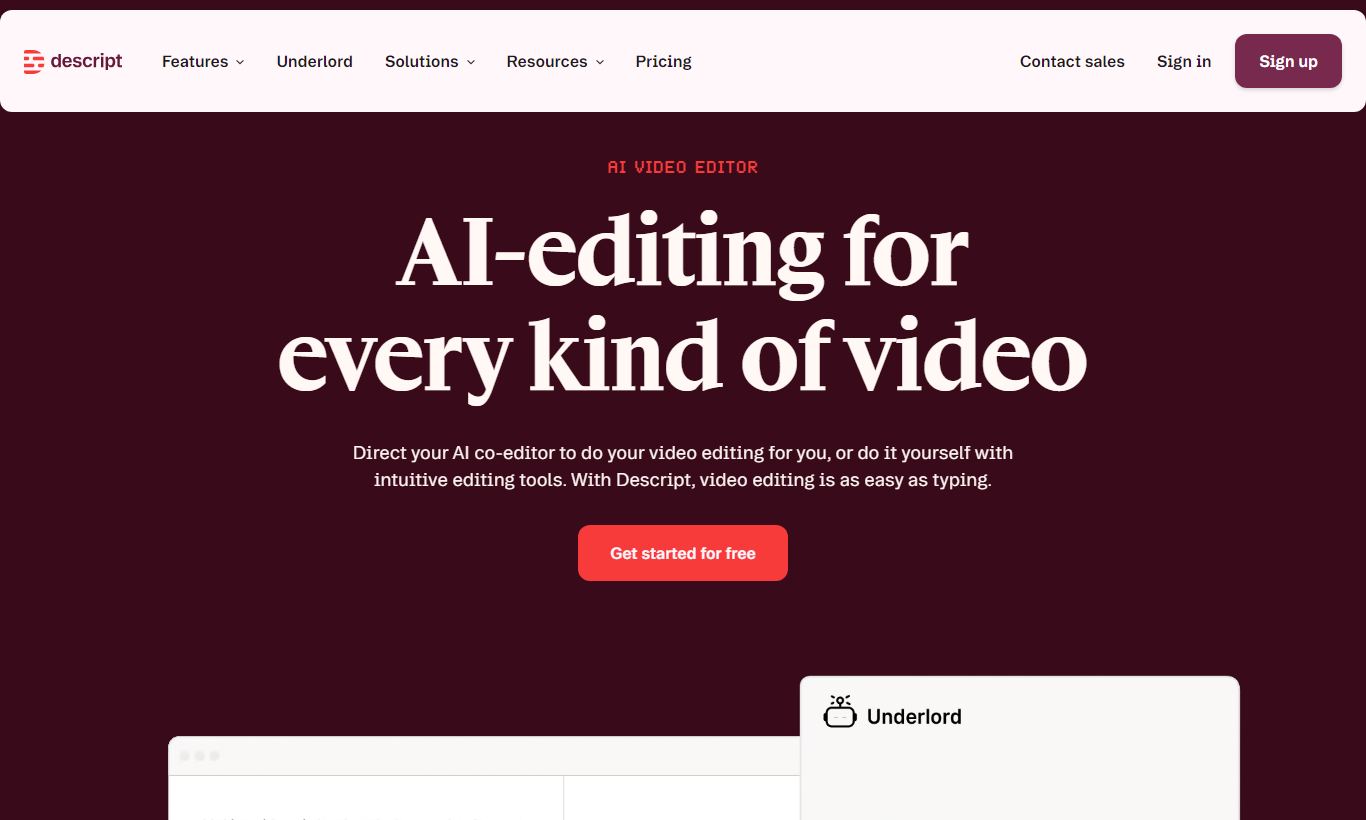
Descript targets podcasters, YouTube creators, video marketers, L&D teams building training content, and journalists producing documentary or interview-based video. It competes with tools like Adobe Premiere, CapCut, and Riverside.fm, but its text-based editing model sets it apart from all of them. Version 6 of Descript, released in 2024 and updated through 2025, brought a redesigned interface, improved AI scene detection, and better Underlord AI features that automate tasks like chapter generation, show note writing, and social clip identification.
Key Features
Feature Checklist
Text-Based Video and Audio Editing
This is Descript's flagship capability, and it's the feature that makes everything else possible. When you import a video or audio file, Descript transcribes it (usually within 1 to 3 minutes for a 30-minute file) and presents a rich text document alongside your media. Select a word, a sentence, or a paragraph in the transcript and hit delete. The corresponding media segment disappears instantly. This works across multi-track projects too, so cutting an interview response automatically trims the video, the guest audio track, and the host audio track in sync. For podcast editors who spend hours scrubbing timelines looking for the right cut point, this changes the whole workflow. You can also search the transcript for a word and jump straight to that moment in the media. No more guessing at timestamps.
Underlord AI Suite
Underlord is Descript's umbrella branding for its growing collection of AI-powered automations. In practice, it's a sidebar panel where you can trigger tasks like: automatically remove all filler words ("um", "uh", "like") across an entire episode with one click, generate chapter markers from the transcript, write show notes or a video description, identify the best 30-second clips for social media, and add automatic eye contact correction to talking-head videos. The eye contact feature uses AI to subtly adjust the speaker's gaze to face the camera even when they're reading notes. It sounds gimmicky but works surprisingly well for remote interview footage. The social clip identification is genuinely useful for marketing teams. Descript scans the transcript for quotable, emotionally striking moments and surfaces them as clip suggestions, which you can approve and export directly.
Overdub AI Voice Cloning
Overdub lets you create a voice clone of yourself (or a licensed voice) and use it to fix mistakes in recordings without re-recording. If you said "in 2023" when you meant "in 2024," you can type the correction in the transcript and Descript generates the audio using your voice clone. Setup requires recording about 10 minutes of voice training script, and the resulting clone quality is remarkably natural for short phrase corrections, though longer synthesized passages can still sound slightly robotic. Overdub is available from the Creator plan upward. Descript also offers a library of stock AI voices if you don't want to train your own. This feature alone saves podcast hosts and course creators serious re-record time.
Screen Recording and Scenes
Descript includes a built-in screen recorder that captures your screen, webcam, and microphone at the same time, putting it in direct competition with tools like Loom. The recorder outputs straight into a Descript project, so you can start editing the transcript-linked recording immediately with no import steps. The Scenes feature lets you build visually polished compositions by layering video tracks, images, lower-thirds, and background graphics in a canvas-style editor. You can create reusable scene templates so every episode of a podcast video keeps consistent branding without rebuilding it from scratch. This is where Descript starts to overlap with simpler video editors like Camtasia, and for straightforward screen-capture tutorials, it handles the whole workflow start to finish.
Collaboration and Publishing
Descript supports real-time multi-user collaboration on projects, with comment threads anchored to specific timestamps in the transcript. Reviewers can leave feedback without needing a Descript account. You share a review link and they can comment in a browser. Once editing is complete, you can export to MP4, MP3, or publish directly to a Descript-hosted public page. Direct publishing integrations with YouTube and podcast hosts like Spotify for Podcasters are available too. For teams where an editor, producer, and host all need to work on the same project, this collaborative workflow saves real time compared to passing files back and forth via Dropbox.
Pricing
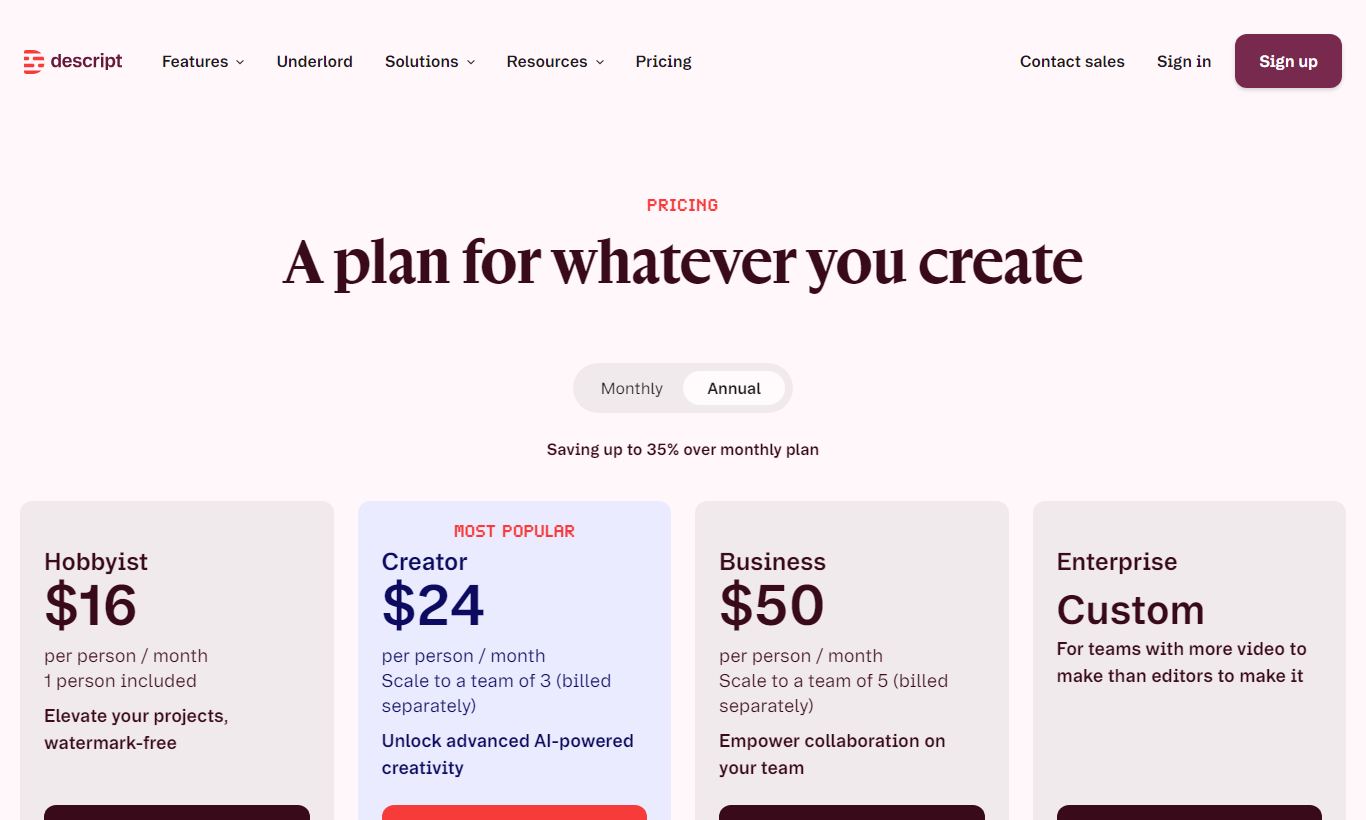
Descript offers four pricing tiers as of 2026. All plans include the core text-based editing and screen recording features. Annual billing knocks the price down a lot, about 30% cheaper than paying monthly.
- Free: $0/month. Includes 1 hour of transcription, watermarked video exports, 1 voice clone (Overdub), and access to basic Underlord features. Fine for kicking the tires, not enough for regular publishing.
- Hobbyist: $24/month (billed annually) or $32/month (monthly). Includes 10 hours of transcription per month, no watermarks on exports up to 1080p, filler word removal, and access to Underlord AI tools. This is the plan for solo podcasters and individual video creators publishing 1 to 4 episodes per month.
- Creator: $40/month (billed annually) or $55/month (monthly). Includes unlimited transcription, Overdub voice cloning with custom voice training, 4K export, social clip identification, and eye contact correction. This is where Descript's AI features fully open up, and it's the plan most serious creators end up on.
- Business: $80/month per user (billed annually). Adds multi-seat workspace management, advanced permissions, priority support, custom brand kits, and SAML single sign-on. Built for marketing agencies, internal comms teams, and media companies running multiple editors.
There's no free trial in the traditional sense. The Free plan works as an ongoing free tier, so you can test it indefinitely, just with the watermark restriction. Annual billing is worth choosing given the 30% saving.
What We Love
- Filler word removal at scale: One click removes every "um," "uh," and "you know" across an entire hour-long recording. What used to take 45 minutes of manual scrubbing now takes under 10 seconds.
- Transcript-accurate multi-track editing: Deleting dialogue in the transcript automatically syncs cuts across all audio and video tracks at once. That eliminates the alignment errors so common in traditional editors.
- Overdub voice correction: Type a correction in the transcript and hear your own AI voice deliver it. It's genuinely useful for fixing one-word mistakes in polished long-form content without a trip back to the recording booth.
- Social clip AI identification: Underlord surfaces the most shareable 30 to 60 second moments from long recordings automatically, giving marketing teams a starting point for clip-based distribution without watching the entire episode.
- Timestamped collaborative review links: Reviewers can comment on specific moments in a video via a shareable browser link. No account required, and it speeds up the approval workflow with clients or stakeholders considerably.
Watch Out For
- Timeline editor lacks precision for complex edits: Descript's canvas and timeline work well for spoken-word content, but they feel limited when you need frame-accurate B-roll cuts, color grading, or multi-layer motion graphics. You'll still need Premiere or Final Cut for that work.
- Transcription accuracy dips with accents and technical vocabulary: Descript's transcription is strong for standard American and British English. Users with strong regional accents or heavy technical jargon (medical, legal, engineering) report 5 to 15% error rates that need manual correction before text-based editing is reliable.
- Overdub voice clone requires careful maintenance: The AI voice clone sounds less natural for anything longer than 2 to 3 corrected sentences, and retraining the voice model when your vocal quality or microphone changes is a manual job that eats up time.
- Per-seat Business pricing adds up quickly for larger teams: At $80/month per user on the Business plan, a team of five editors costs $400/month. At that scale, purpose-built video review tools like Frame.io paired with a traditional NLE may offer better value for pure editing workflows.
Who Is It Best For?
The independent podcaster publishing weekly: A solo host producing a 45-minute interview podcast will find the Creator plan ($40/month) pays for itself within a single episode. Filler word removal, automatic chapter generation, and Overdub corrections cut out the most repetitive parts of post-production. Transcription comes included, so show notes and chapter markers end up as free byproducts of the editing process.
The in-house video marketer creating product demos and training content: A marketing team member who records weekly product walkthroughs, customer onboarding videos, or internal training content will get real use out of Descript's screen recording, scene templates, and easy clip export. The Business plan's brand kit keeps every video's colors, fonts, and logos consistent without manual formatting each time.
The small podcast production agency managing 5 - 10 client shows: An agency editor handling multiple shows will use Descript's collaborative review links to get client approvals faster. The multi-track text editing also makes switching between shows with different formats far less of a headache. The Business plan's workspace management and permissions let you keep client projects cleanly separated. At this volume, the per-seat cost pays for itself in the time saved across the client roster.
How Does It Compare?
Descript vs. Riverside.fm: Riverside focuses on remote recording quality. It captures separate lossless tracks from each participant, which beats Descript for raw audio and video fidelity. Descript's recording quality is solid, but it's not where the product shines. Its post-production editing tools go well beyond what Riverside offers, though. Plenty of teams use both: Riverside to record, Descript to edit. See our full Descript vs Riverside.fm breakdown.
Descript vs. Adobe Premiere Pro: Premiere Pro is the industry standard for professional video editing, with precision, effects, and color tools nothing else matches. But it wasn't built for spoken-word content. Scrubbing a 60-minute interview in Premiere to find cut points is slow going. Descript wins on transcript-based editing speed and AI automation. Premiere wins on cinematic complexity. The two serve different jobs. Read our Descript vs Adobe Premiere Pro comparison for a full feature breakdown.
Final Verdict
Descript has grown from an interesting transcription experiment into a genuinely mature AI productivity platform for content creators. The text-based editing model isn't a gimmick. It changes how fast you can edit spoken-word media, and the Underlord AI suite keeps adding automation that saves real hours on real tasks. The Creator plan at $40/month is the sweet spot. It unlocks unlimited transcription, Overdub voice cloning, and the full AI feature set, which makes it a credible all-in-one production environment for any creator publishing video or audio content regularly.
Skip Descript if your work involves heavy motion graphics, color grading, or multi-camera narrative production. It's simply not built for that. But if you're producing podcasts, YouTube explainer videos, training content, or marketing videos built around talking heads and screen captures, Descript is one of the smartest investments you can make in your content workflow in 2026.
Try Descript Free →FAQ
Is Descript free to use?
Yes. Descript offers a permanent free tier that includes 1 hour of transcription and core editing features. Video exports on the free plan carry a Descript watermark. There's no time-limited trial. You can use the free plan indefinitely to test the product before upgrading.
How much does Descript cost per month?
Descript's paid plans start at $24/month for Hobbyist (billed annually) or $32/month on a monthly basis. The Creator plan, the most popular choice for individual creators, costs $40/month annually or $55/month. The Business plan for teams runs $80/user/month billed annually.
Is Descript worth it for podcasters?
For podcasters who edit their own shows, yes, especially on the Creator plan. One-click filler word removal, AI-generated show notes and chapter markers, and Overdub voice correction can cut editing time by 40% or more on a typical 45-minute interview episode. The $40/month cost is usually recovered within one or two episodes worth of saved editing time.
How accurate is Descript's transcription?
Descript's transcription accuracy typically sits at 90-95% for clear English-language audio recorded in a reasonably quiet environment. Accuracy drops to 85-90% for strong regional accents or highly technical vocabulary. The transcript editor makes manual corrections fast, but heavily accented or jargon-heavy content may need more cleanup before text-based editing becomes reliable.
Does Descript work for video as well as audio?
Yes. Descript handles both video and audio projects. You can import MP4, MOV, MP3, WAV, and other common formats. Video editing features include the text-based timeline, scene composition with layers, screen recording, eye contact correction, and export up to 4K on the Creator plan. It suits talking-head and screen-capture video best, rather than cinematic or multi-camera productions.
Can multiple people collaborate in Descript?
Yes. Descript supports multi-user collaboration on all paid plans, with comment threads anchored to specific transcript moments. You can also share a review link with clients or stakeholders who don't have a Descript account. They can view and comment right in a browser. The Business plan adds advanced workspace permissions and role management for larger teams.
How does Descript compare to CapCut for video editing?
CapCut suits short-form social video better, with trend-driven effects, templates, and mobile-first editing. Descript is stronger for long-form spoken-word content, where transcript-based editing, AI voice correction, and multi-track audio management matter. If you're making TikToks or Instagram Reels, CapCut is the better fit. If you're editing podcasts, YouTube videos, or training content, Descript gives you more relevant AI productivity tools.
What is Overdub and is it included in the free plan?
Overdub is Descript's AI voice cloning feature. It lets you correct recording mistakes by typing the corrected text, and the platform generates audio in your voice to fill the gap. The free plan includes one basic Overdub voice, but full custom voice training, which produces much more natural results, requires the Creator plan at $40/month or above.
We may earn a commission when you click affiliate links. This never affects our editorial scores.
| Best for | — |
| Category | AI & Productivity |
Answer a few quick questions and we'll match you to the best tool for your needs.
→ Suggest a Tool